Ready now · web session
Nashville · KBNA
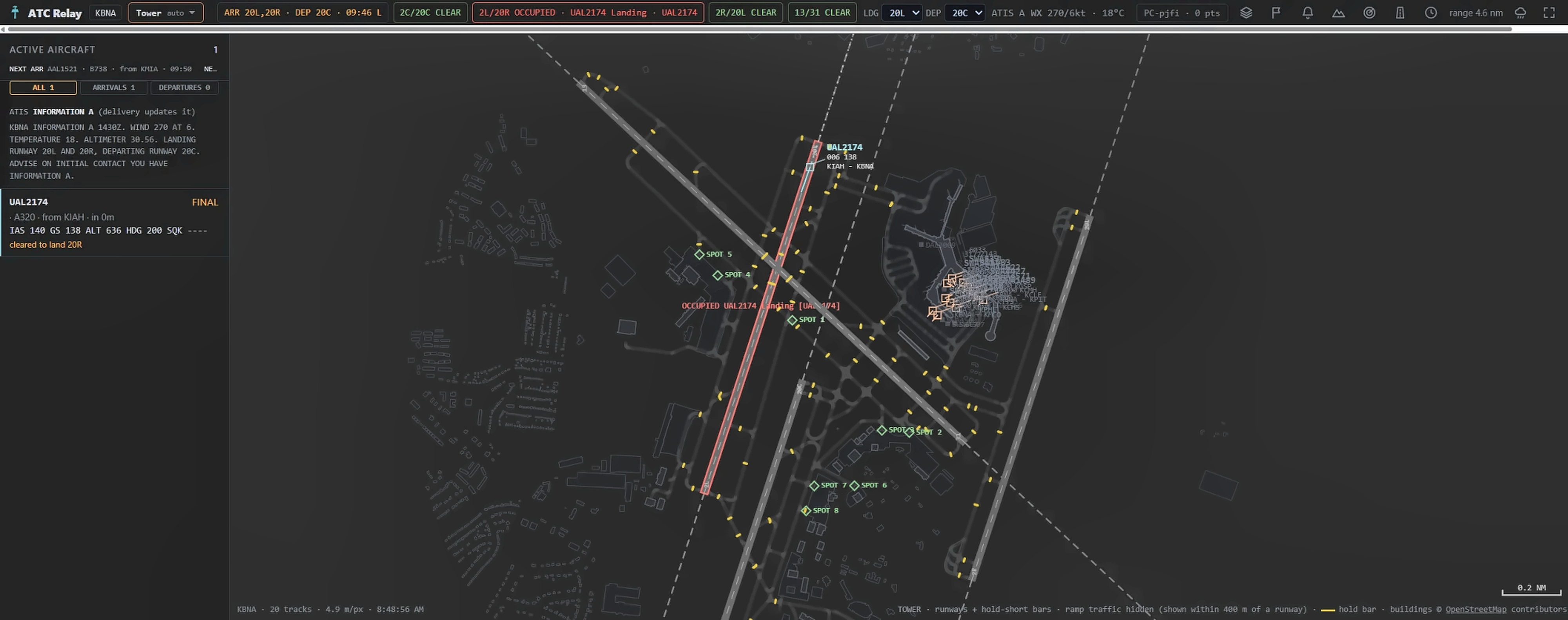
Nashville Intl has a full web layout: run the airport from your browser, no download and no simulator required.

ATC Relay lets a group of people run the air traffic at one live airport together in Microsoft Flight Simulator. One person hosts the airport from their sim; everyone else takes a position either from a web browser or from their own simulator running ATC Relay Host, on the same live airport with the same positions and the same experience.
Ready now: start Nashville's web session, no downloadYour tower. Their sim. One session. See where it stands
The demo: Nashville, 25 minutes, up to 3 a day from one network address.
What it is
The simulator host stays in charge of the airport and its AI traffic. Controllers see the same live airport, in a browser or from their own simulator running ATC Relay Host, and work it together, each from their own position, with clear ownership so two people never issue conflicting clearances.

A desktop app that runs beside Microsoft Flight Simulator, loads the airport and its traffic, and opens a session for others to join.
The controller screen in your browser. Pick a position, watch the live airport, and issue instructions through a structured panel.
Everyone in a session sees the same traffic and the same state, so a handoff between positions is a real handoff. A Ground controller in one city can hand off to a Tower controller on another continent — same live airport, same frequency, no region matching.
Who it is for
Whether you like running a tower solo or want a group of friends covering delivery, ground and tower at a busy field, that is what this is built for. You do not need to be a real-world controller.

IllustrationDecorative artwork, not a screenshot from Microsoft Flight Simulator or ATC Relay.
The positions
Core positions are available in the early test build. Center is not offered yet.
Issue departure clearances: route, runway and squawk.
Move aircraft between gates, taxiways and the runway hold-short lines.
Own the runways: line up, take off, land, and keep them clear.
Manage pushbacks and gate assignments.
Sequence and vector arrivals toward the runway.
Climb departures out along their departure routes.
See the positions at work: real operating views from Fort Lauderdale
Start on Clearance Delivery: it is the first call every departure makes. A departure then moves through the seats in order: Delivery gives the clearance, Ramp pushes the aircraft back, Ground taxis it to the runway, Tower clears it for takeoff, and Departure climbs it out. Arrivals come back the other way: Approach sequences them, Tower lands them, Ground and Ramp bring them to the gate.
New to controlling? Read the first-session guide for both sequences on one page, or go straight to the rules and the Nashville procedures. Then take the demo and work one aircraft from clearance to takeoff.
Released airports
Nashville, Fort Lauderdale and Phoenix have full web sessions today: join from the browser, no simulator needed, or open one from your account once you are signed in. Baltimore/Washington is planned for a future web session.
Nashville Intl has a full web layout: run the airport from your browser, no download and no simulator required.
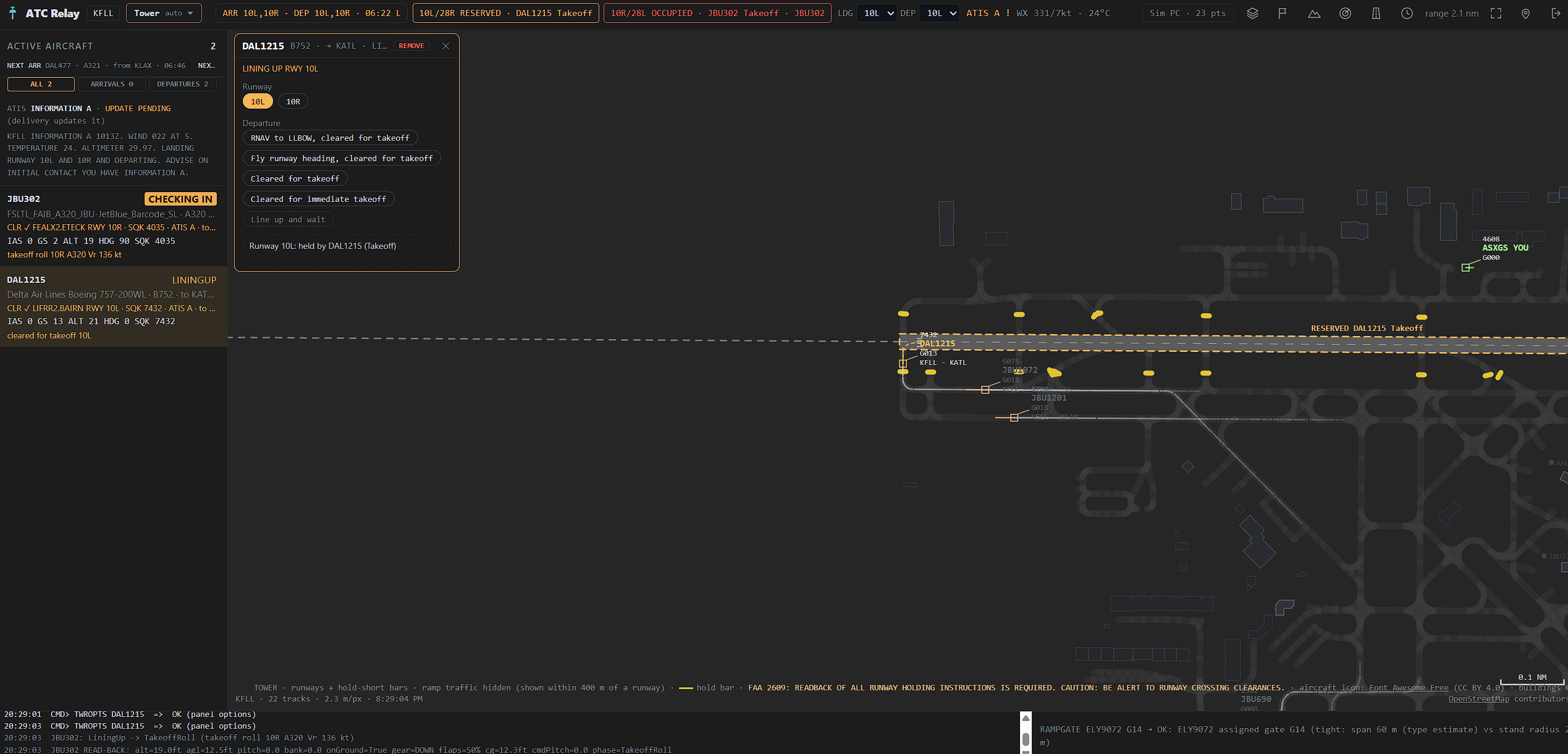
Fort Lauderdale-Hollywood Intl now has a full web layout: run the airport from your browser once you are signed in. See Delivery, Ramp, Ground, Tower and Departure at a real FLL operation too.

Phoenix Sky Harbor Intl now has a full web layout: run the airport from your browser once you are signed in.

Baltimore/Washington Intl is planned for a future web session and reference page. Nothing to open here yet.

How it works
No simulator needed. Try the 25-minute Nashville demo now, or sign in to run Nashville, Fort Lauderdale or Phoenix in your browser.
Host an airport from your sim, or join one and take a position from your own sim. Made for MSFS 2024; MSFS 2020 is experimental. Free early-test build, free account.
Already have a code from a host? Look up the room, see who is on which position, then open the live radar.
Start ATC Relay Host next to Microsoft Flight Simulator, choose the airport, schedule, runways and positions, run the start-up checklist, and start the session.
Use the session code, follow the short before-you-join steps, and open the controller page in ATC Relay Scope with your Navisphere Studios account. Prefer your own simulator? Run ATC Relay Host beside Microsoft Flight Simulator and take a position from there: it is the same live airport and the same experience as the browser. Have a session code? Enter it here.
Pick delivery, ground or tower and start controlling. The host keeps the final say over the session.

IllustrationDecorative artwork, not a screenshot from Microsoft Flight Simulator or ATC Relay.
Early testing is open for Microsoft Flight Simulator 2024; MSFS 2020 works experimentally. ATC Relay Host, early test build 0.9.0-dev54, is free to download with a free Navisphere Studios account. It is a test build, not a final release: expect changes and rough edges, and tell us what you find.
We do not host or bundle Microsoft's SDK or SimConnect files; Setup can copy them from your MSFS 2024 SDK (recommended) or your MSFS 2020 SDK, and the setup guide links to Microsoft's own documentation. No pass is needed to host, join or play a session with the simulator. Trouble connecting? Troubleshooting and connection check.
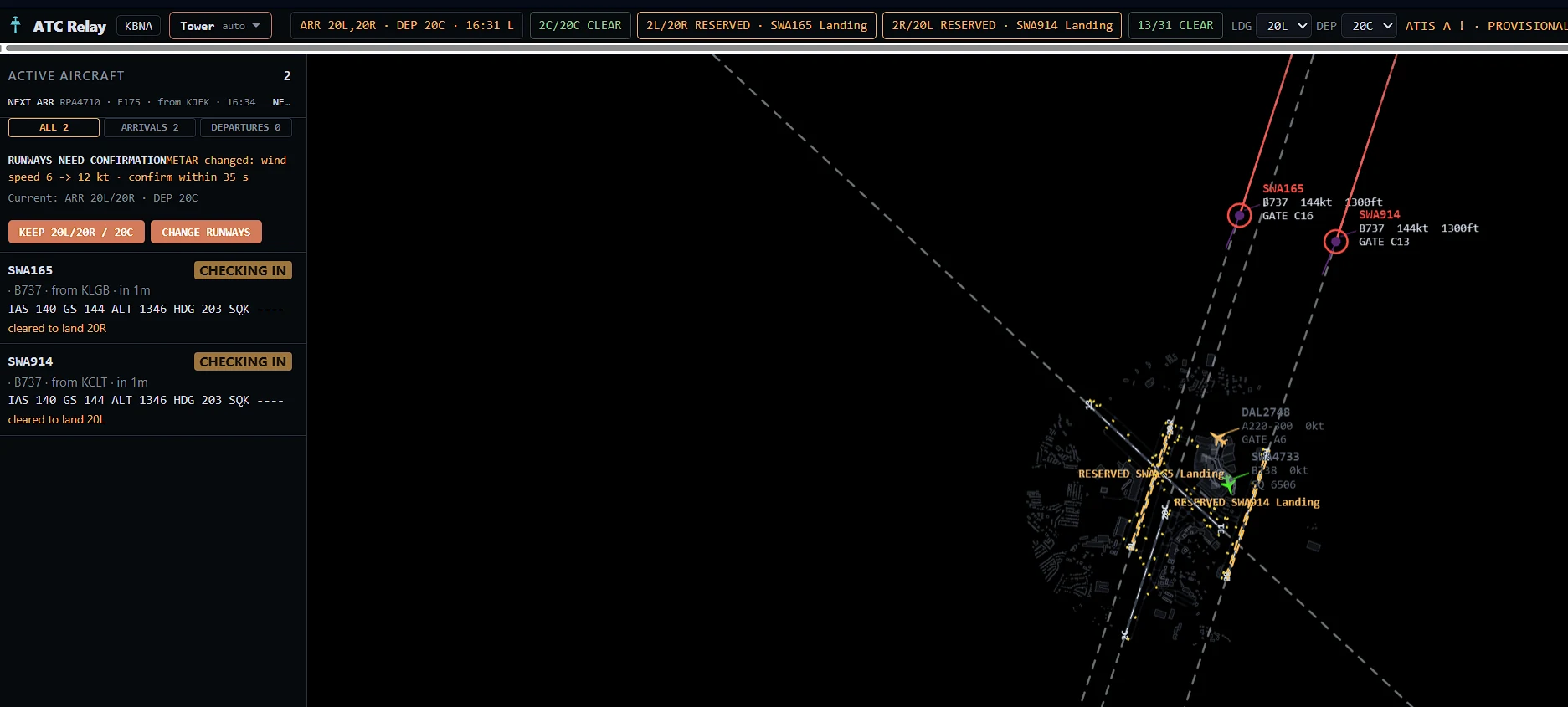
Real captureThe ATC Relay web session at KBNA, Tower position — not a mockup.
A web session runs the same airport for you in the browser, without Microsoft Flight Simulator, with a start time you choose. It is open to signed-in players at Nashville (KBNA), Fort Lauderdale (KFLL) and Phoenix (KPHX). Weather is the airport’s live METAR, fetched when the session starts — not a player choice. Start one from the Create screen in ATC Relay Scope.
Available now
The flight scheduler builds a busy day at KFLL, KBNA, KBWI or KPHX from a real airline timetable, lets you add flights of your own and assign airlines to gates, and exports the files ATC Relay Host loads. It needs a free account: sign in first, then it runs in your browser and a Save button keeps your files in your account and lets you share them.
Timetable data: US DOT on-time statistics and the FAA aircraft registry. It covers domestic US airlines only, so add international and cargo flights yourself.
Free demo
A free demo at Nashville (KBNA) is open: 25 minutes, no account needed. When the time is up you can sign in or create an account and continue the same session, or start a fresh one.
Honest status
Airport layouts in web sessions contain information from OpenStreetMap, made available under the Open Database License (ODbL) 1.0. © OpenStreetMap contributors. See openstreetmap.org/copyright and the ODbL 1.0; the layout files are on the open data page. Contains FAA NASR data (cycle 2026-09-03). Not FAA-endorsed. Not for navigation.