
How to start with MedicalLife.
Open the care network, follow one patient episode, and use the seven dashboard views to understand what your city is actually doing.
Know what this build can prove.
MedicalLife is a pre-v1 feedback build. The guide separates systems observed in real sessions from mechanics that are present but still need a complete live cycle.
Build posture
Current publish configuration: v0.9.0, targeting Cities: Skylines II 1.*. No required companion dependency is listed. BankLife is optional for headquarters banking integration.
This page covers
- Opening the healthcare network and locating Facilities
- Following a citizen episode through care and transport
- Reading all seven dashboard surfaces
- Watching insurers, hospitals, manufacturers, and Lifeline operate
- Changing policy without hiding the evidence
Safe expectation: a first session can show episodes and records, hospital enrollment and ratings, insurer activity, research, medicine supply, transport hand-off, and dashboard evidence. Facility level-ups and renames were confirmed live on 2026-09-10. Specialist capacity, staff-training effects, a private facility holding patients through a full stay, and manufacturer rescue/consolidation remain Built · live check pending.
Start with one patient, then widen the lens.
MedicalLife is easiest to understand when you connect a visible citizen episode to the institutions around it.
Open the MedicalLife dashboard
Let the city run until the healthcare network has activity, then open the MedicalLife icon. Begin with the overview before changing a policy or research node.
WhereToolbar · MedicalLifeExpectSeven views of one networkCheck firstCity time has advancedInspect a facility with a real workload
Open Facilities and select a hospital or private facility. Read its funds, rating, trauma level, patient count, and departments before assuming a care gap is a capacity bug.
WhereFacilities · selected hospitalExpectRating, funds, care stateConfirmedEnrollment and naming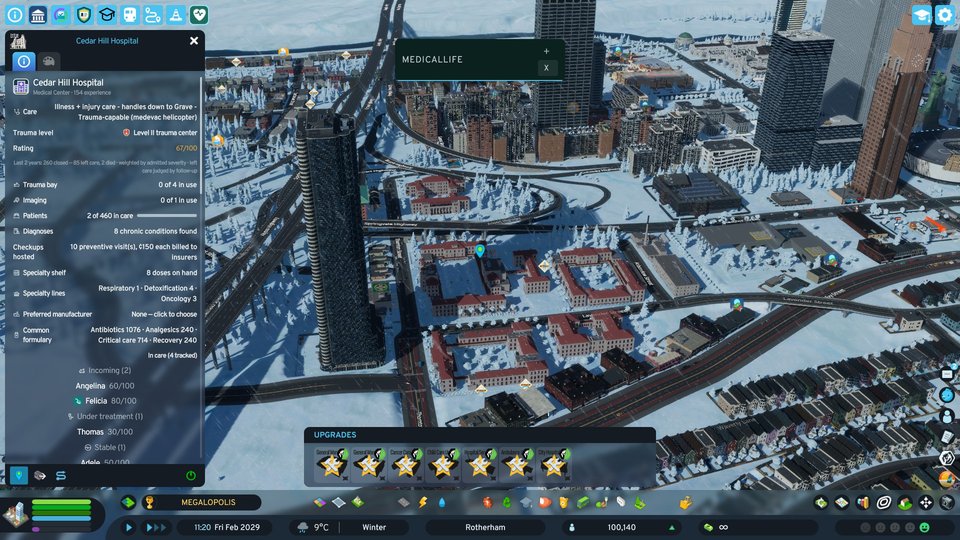
Start with a real hospital panelIt connects the visible patient workload to the hospital’s own rating, care, and inventory signals. Follow one episode from arrival to outcome
Use Care to read the citizen’s durable medical history and the current episode. Check how the illness or injury was classified, whether the citizen arrived by ambulance or walk-in, and whether care closes in recovery, death, or leaving care.
WhereCare · citizen recordExpectEpisode and record historyDo not assumeOne snapshot proves a full lifecycleRead supply before blaming care
Open Operations and check manufacturers, research, capacity, and hospital supply. Medicine moves by truck under real capacity and traffic, so a delayed delivery is evidence to inspect, not an instant failure verdict.
WhereOperations · formularyExpectManufacturers and stock stateStill verifyingRescue and consolidation paths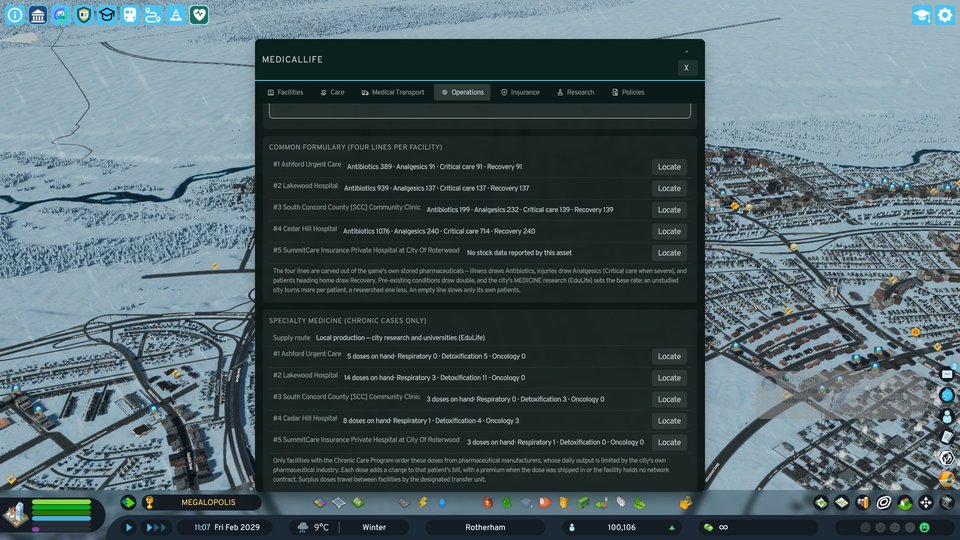
Operations explains the physical workFormulary and manufacturer views are the cheapest check before reporting a medicine gap. Compare the market and policy posture
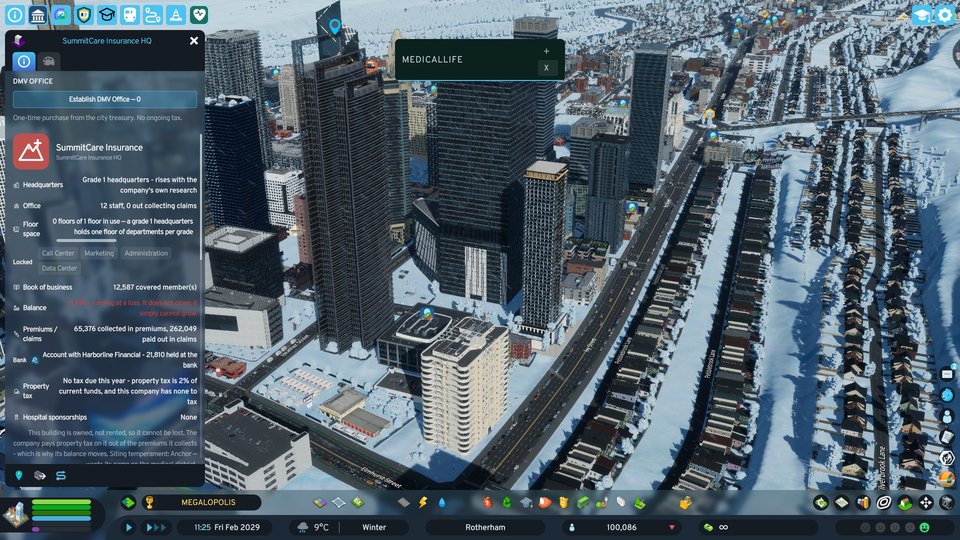
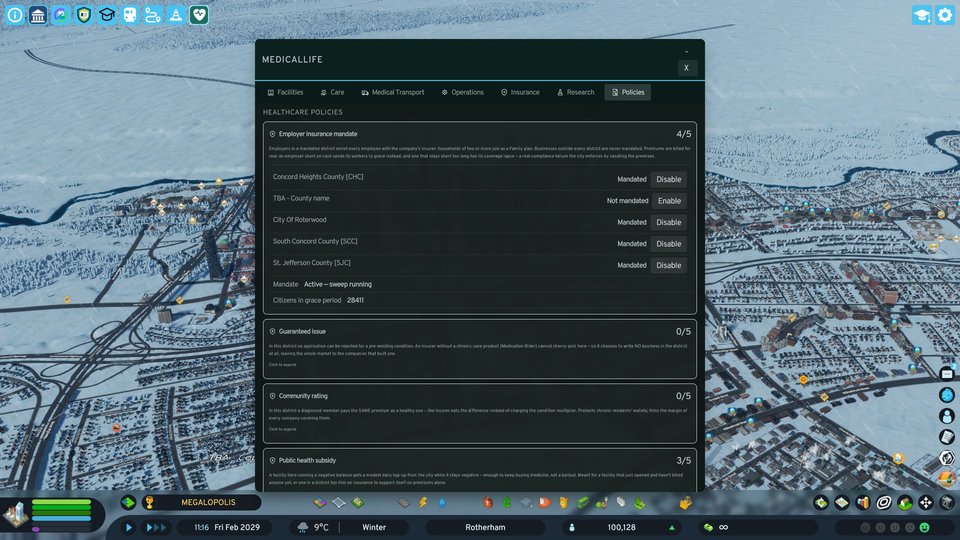
Use Insurance to see premiums, claims, member switching, bankruptcy, and mergers. An insurer only gets a permanent headquarters once you pick and confirm a building for it — it never claims one on its own, so a company sitting in an ordinary rented office is working as intended until you act. Then open Policies to understand Universal Healthcare, employer mandate, guaranteed issue, community rating, public-health subsidy, and medicine trade rules.
WhereInsurance · PoliciesExpectMarket and policy leversCheck firstPopulation and elapsed time
Let the network teach you what to change.
MedicalLife’s loop is observational first. Every decision should have a visible evidence surface behind it.
Establish care
Let hospitals, insurers, manufacturers, and Lifeline form a working network around city demand.
Evidence · Facilities / InsuranceOperate
Read hospital departments, transport movement, claims, research, and medicine supply as separate systems.
Evidence · Care / OperationsObserve episodes
Follow a citizen record and see where an episode closes, transfers, or waits for a real-world gate.
Evidence · Care / TransportAdjust policy
Change one district-wide lever or research choice, then let time pass before reading the result.
Evidence · Policies / ResearchSeven views of the same healthcare network.
Every tab below has a real local capture. Select a surface to change the evidence image and caption.
Facilities
Hospitals and private facilities: enrollment, naming, funds, ratings, patient flow, departments, and care workload.
capturedCare
Citizen episodes, durable records, diagnoses, checkups, chronic care, trauma, and treatment outcomes.
capturedMedical Transport
Lifeline dispatch, transfers, fleet, and vanilla-roster hand-off that keeps patient counts honest.
capturedOperations
Manufacturers, formulary, supply, capacity, and the physical movement of medicine through traffic.
capturedInsurance
Premiums, claims, members, switching, bankruptcy, mergers, and the population-scaled insurer roster.
capturedResearch
Hospital and manufacturer research trees that show where the next capability is coming from.
capturedPolicies
Universal Healthcare, employer mandate, guaranteed issue, community rating, subsidy, and medicine trade rules.
captured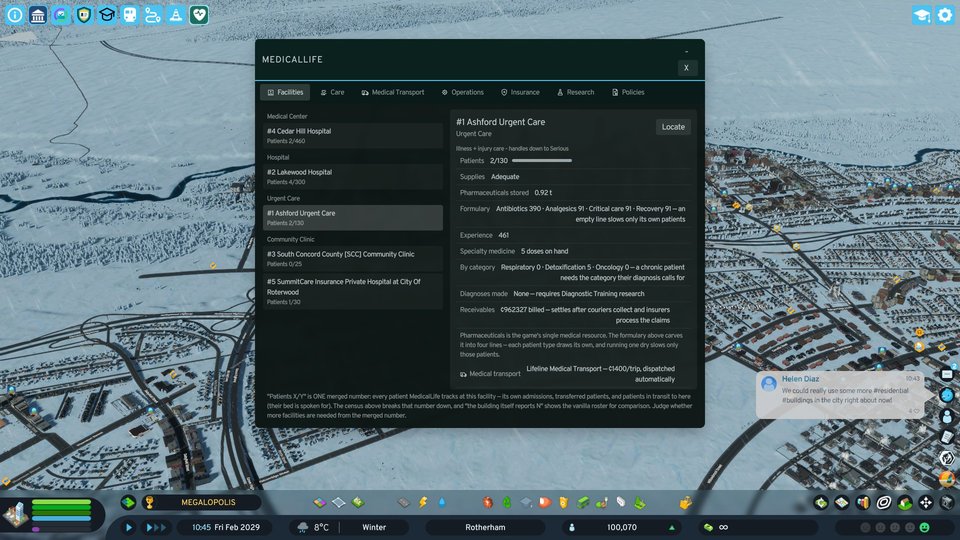
Change one lever, then watch the network.
Use a policy when you can name the behavior you want to change. Keep the trade-off visible.
| Decision | When to use it | Trade-off | Where to change it |
|---|---|---|---|
| Universal Healthcare | You want a citywide single-payer posture. | Coverage changes the role of private insurance and public subsidy. | Policies |
| Employer mandate | You want employer participation to shape coverage. | Participation rules can shift premium and membership pressure. | Policies |
| Guaranteed issue | You want insurers to accept eligible members regardless of risk posture. | Access can increase the claims burden the market must absorb. | Policies |
| Community rating | You want premiums to reflect a shared community posture. | Shared pricing changes how insurers compete for members. | Policies |
| Public-health subsidy | You want to support the public side of healthcare delivery. | Subsidy can stabilize access while changing the city’s fiscal exposure. | Policies |
| Medicine import / export | You need to change how the city balances local production and outside supply. | Trade can relieve shortages but moves dependency beyond local manufacturers. | Policies |
Check the cheapest explanation first.
A surprising result is often a gate, cooldown, route, or still-verifying mechanic. Use the quickest evidence surface before calling it a bug.
Use the right label for the evidence.
A clean build is not the same thing as an observed mechanic. Keep these labels visible on the site and in the mod listing.
See something that looks wrong?
Submit the smallest useful reproduction through the site’s log route. Do not include passwords, API keys, save secrets, or other credentials.
Turn on Verbose Logging in Options → Mods → MedicalLife first, reproduce, then attach %LOCALAPPDATA%Low\Colossal Order\Cities Skylines II\Logs\MedicalLife.Mod.log. The log narrates every decision the mod makes in plain sentences; the line that explains what you saw is almost always there.