
How to start with BankLife.
Give the market time to form, open the dashboard once a bank appears, and follow the evidence before you change policy.
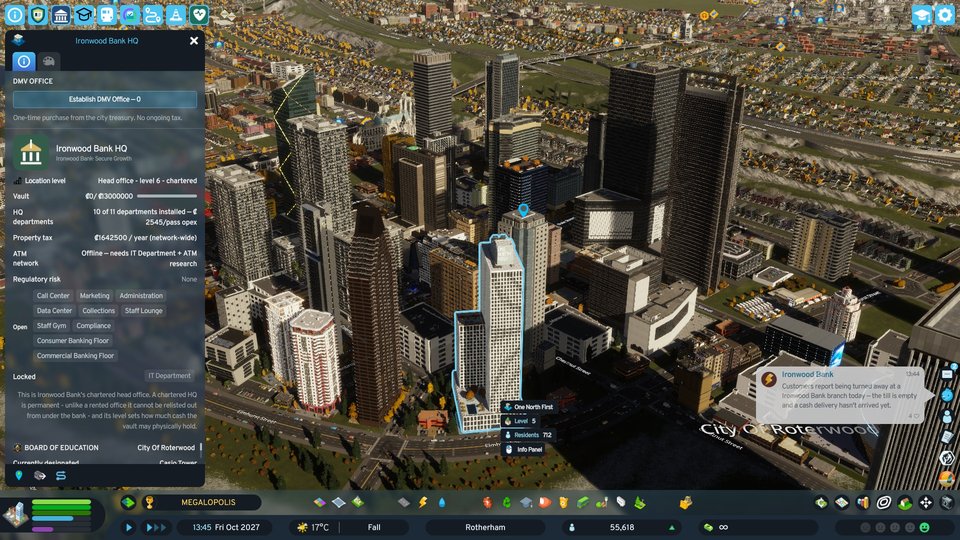
Know what this build can prove.
BankLife is a pre-v1 feedback build. The guide separates what has been observed in real cities from mechanics that need more elapsed game time.
Build posture
Current publish configuration: v0.9.0, targeting Cities: Skylines II 1.*. No companion dependency is listed in the current configuration.
This page covers
- Letting the first bank enter and claim premises
- Reading six views of the banking network
- Growing a bank through departments and cash flow
- Following household and business credit
- Responding to distress and governing policy
Safe expectation: a short session may show formation, premises, lending, and dashboard evidence without completing a full mortgage payment, default, or foreclosure cycle.
Start with the market, then inspect the evidence.
Follow these steps in order. BankLife’s most useful signal is not a single total; it is the relationship between premises, cash, customers, and policy.
Let a bank enter the city
Advance the city and watch for a new bank to claim a vacant office. Entry is population-gated and paced by a cooldown; sustained market saturation can also admit a new entrant.
WhereCity simulationExpectA bank claims day-one premisesCheck firstPopulation and time advancedOpen the BankLife dashboard
Use the BankLife toolbar icon once the network exists. Start with the citywide view, then move into the bank directory and the operating views rather than changing policy immediately.
WhereToolbar · BankLife iconExpectSix surfaces of one networkDo not assumeA total proves a full lifecycleInspect the selected bank
In Banks, read the roster and the selected institution’s operations, finances, and portfolio. A chartered HQ is permanent; a rented office can later be relisted.
WhereBanks · selected bank detailExpectStaff, customers, cash, floorsCheck firstPremises type and bank statusRead cash and departments before upgrading
Operations shows vault cash, cash in transit, department status, branch runs, and transaction processing. HQ level is derived from installed departments, not purchased directly.
WhereOperationsExpectCash custody and department chipsCheck firstRecurring cost vs. cash flowFollow one household or business
Open a real property or household panel and look for the lender, payment, or eligible commercial line. Origination is confirmed; the rest of a mortgage’s life needs more elapsed game time.
WhereProperty / household panelExpectReal lender and pricing contextStill verifyingPayments, default, foreclosure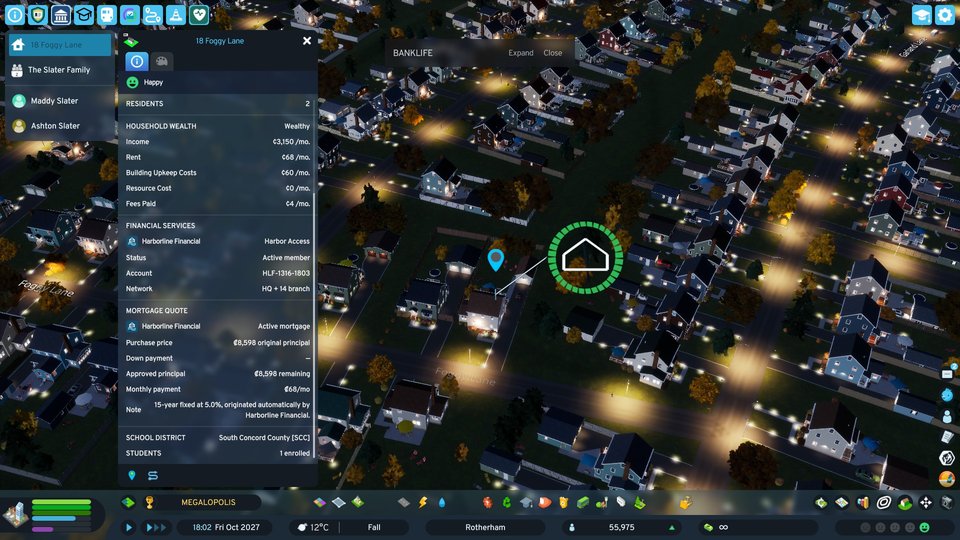
A real originated mortgage18 Foggy Lane, the Slater family — Harborline Financial, ₡68/mo. Origination is confirmed live; payoff and default still need elapsed game time to observe.
Let the network teach you what to change.
BankLife’s loop is observational first. Each move has a corresponding evidence surface so a surprising result has somewhere concrete to check.
Form
Advance time and let population, cooldown, and market saturation shape new entry.
Evidence · Banks / city mapBuild capacity
Departments add capability and recurring cost; the bank’s HQ level follows the installed set.
Evidence · OperationsObserve credit
Follow deposits, household mortgages, business lines, cash custody, and district coverage.
Evidence · Banks / propertiesAdjust policy
Use Central Bank rules and district mandates when the network’s behavior gives you a reason.
Evidence · Governance / DistrictsSix views of the same network.
The current UI shows six surfaces, all represented by real captures below.
Overview
Citywide totals: institutions, staff, liquid money, deposits protected, and mortgage exposure. Not proof of a completed debt lifecycle.
capturedBanks
Roster and selected-bank detail: staff, customers, operations, finances, and portfolio. Use this to locate one institution.
capturedDistricts
Banking coverage by district, including locations, banked businesses and residents, and district-level mandates.
capturedOperations
Vault cash, cash in transit, department status, branch lists, and transaction processing.
capturedStrategy
A shared research tree for premises, technology, staffing, and influence, funded by cleared transactions.
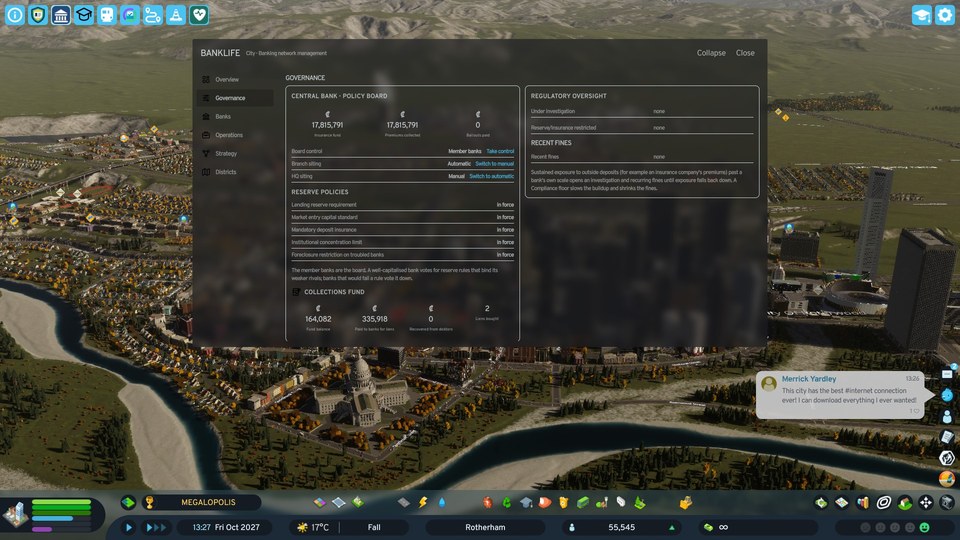
capturedGovernance
Central Bank policy, regulatory oversight, concentration, foreclosure restriction, and the Collections Fund.
captured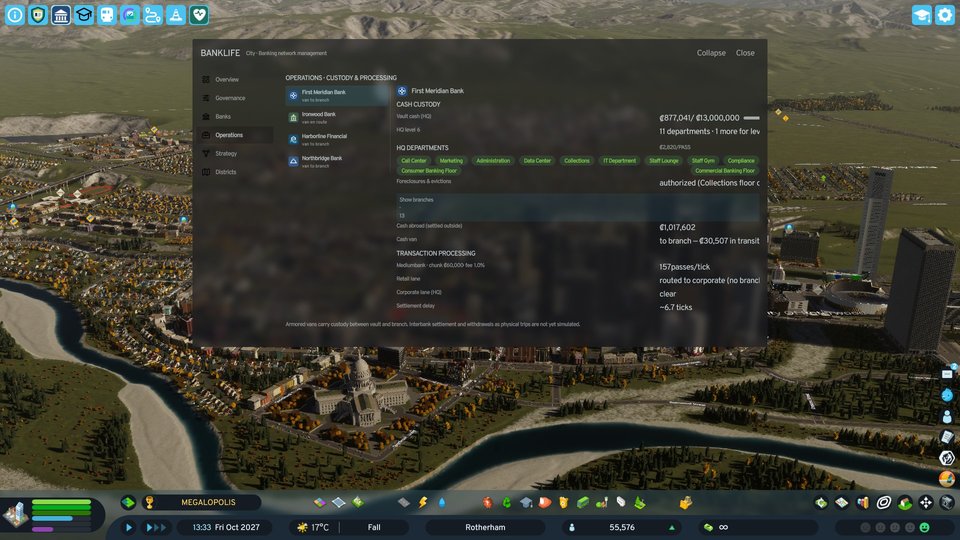
Change one lever, then watch the network.
Use these controls when you can name the behavior you want to change. Avoid treating every policy as a launch requirement.
| Decision | When to use it | Trade-off | Where to change it |
|---|---|---|---|
| Reserve requirement | A bank’s liquid position needs a stronger floor. | More resilience can reduce room for lending and growth. | Governance |
| Deposit insurance | You want to set the protection posture for customer deposits. | Protection changes the Central Bank’s exposure when institutions fail. | Governance |
| Market-entry capital | You want new entrants to arrive with a different opening threshold. | Higher standards slow entry; lower standards can increase competition. | Governance |
| District mandate | One district needs no new branches, a lending freeze, or priority coverage. | Local control can make coverage uneven across the city. | Districts |
| Foreclosure restriction | You need the Central Bank to restrict the foreclosure posture. | Restriction changes how quickly distressed property can move through the system. | Governance |
| Branch / HQ siting | You want the network to place premises automatically or by hand. | Manual control adds intention; automatic siting reduces micromanagement. | Governance / siting controls |
Check the cheapest explanation first.
A surprising result is often a gate, cooldown, or missing evidence surface. Use the quick checks below before calling it a bug.
Use the right label for the evidence.
A clean build is not the same thing as an observed mechanic. These labels are repeated across the BankLife feature and tutorial pages.
See something that looks wrong?
Submit the smallest useful reproduction through the site’s log route. Do not include passwords, API keys, or other credentials in a report.